All B2B sales in one place – from customer acquisition to after-sales service
ONe CRM Transactional, what does that mean? In addition to classic customer service functions, it offers extensive functions for creating and managing offers, orders, as well as customer behaviour analysis, dashboards and after-sales service. Thanks to this, salespeople do not have a ‘note-taking system’, but a tool that provides them with full knowledge about customer purchases and actually drives sales.
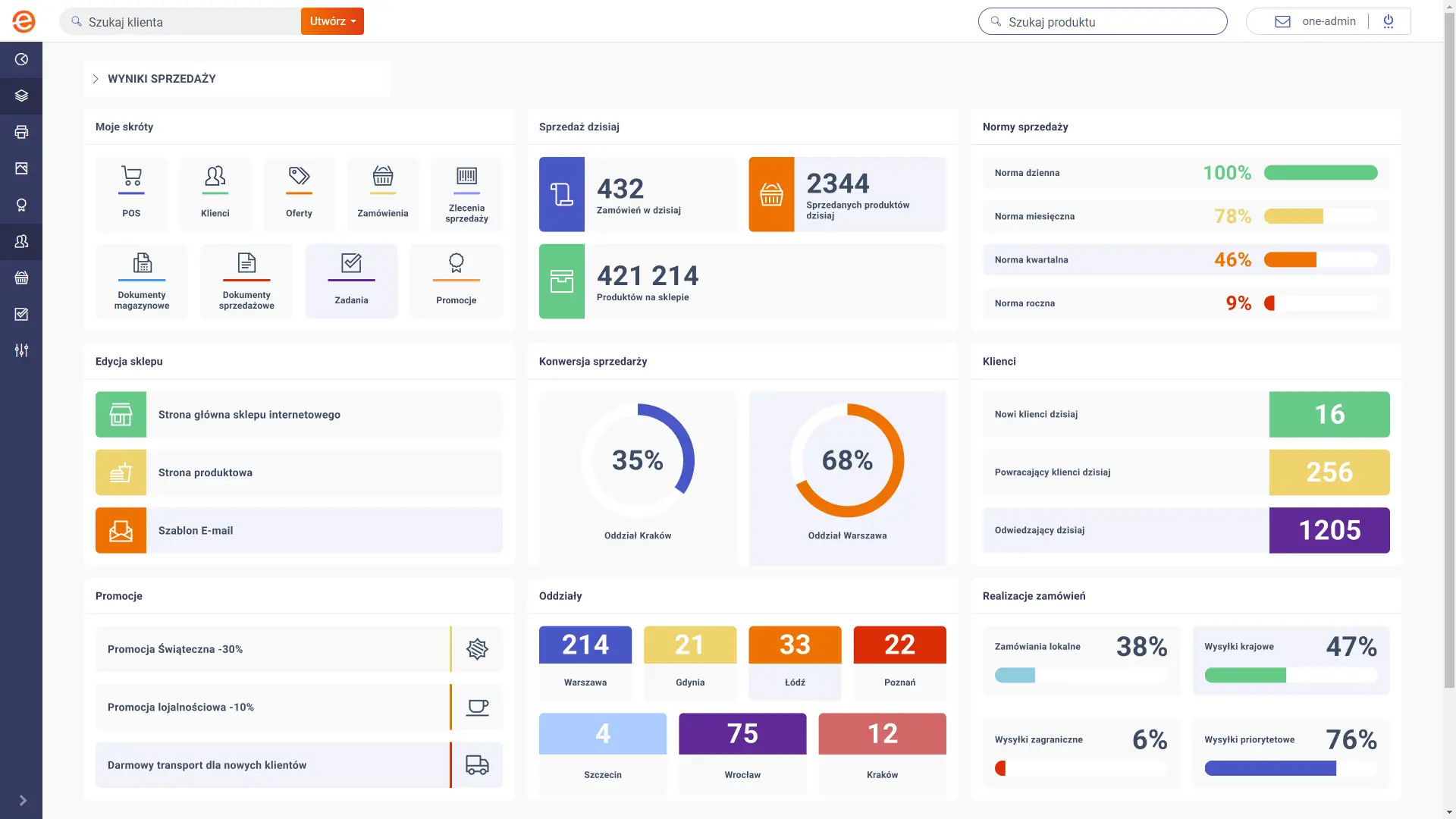
Work begins on the dashboard. It is an operations centre that organises your day: it shows priorities, tasks and issues requiring attention, and then leads you straight to the customer and the action.
The dashboard is clear and customisable, so you don’t have to search for information in the system. Unlike many CRMs, it doesn’t stop at customer data: it guides you through the entire process, from leads, through offers and orders, to debt collection and complaints. Thanks to its connection to analytics, it helps you focus on what gives the fastest results.
Clear priorities
Salespeople's independence
Process control
FULL-SCALE CLASSIC CRM
Customer file
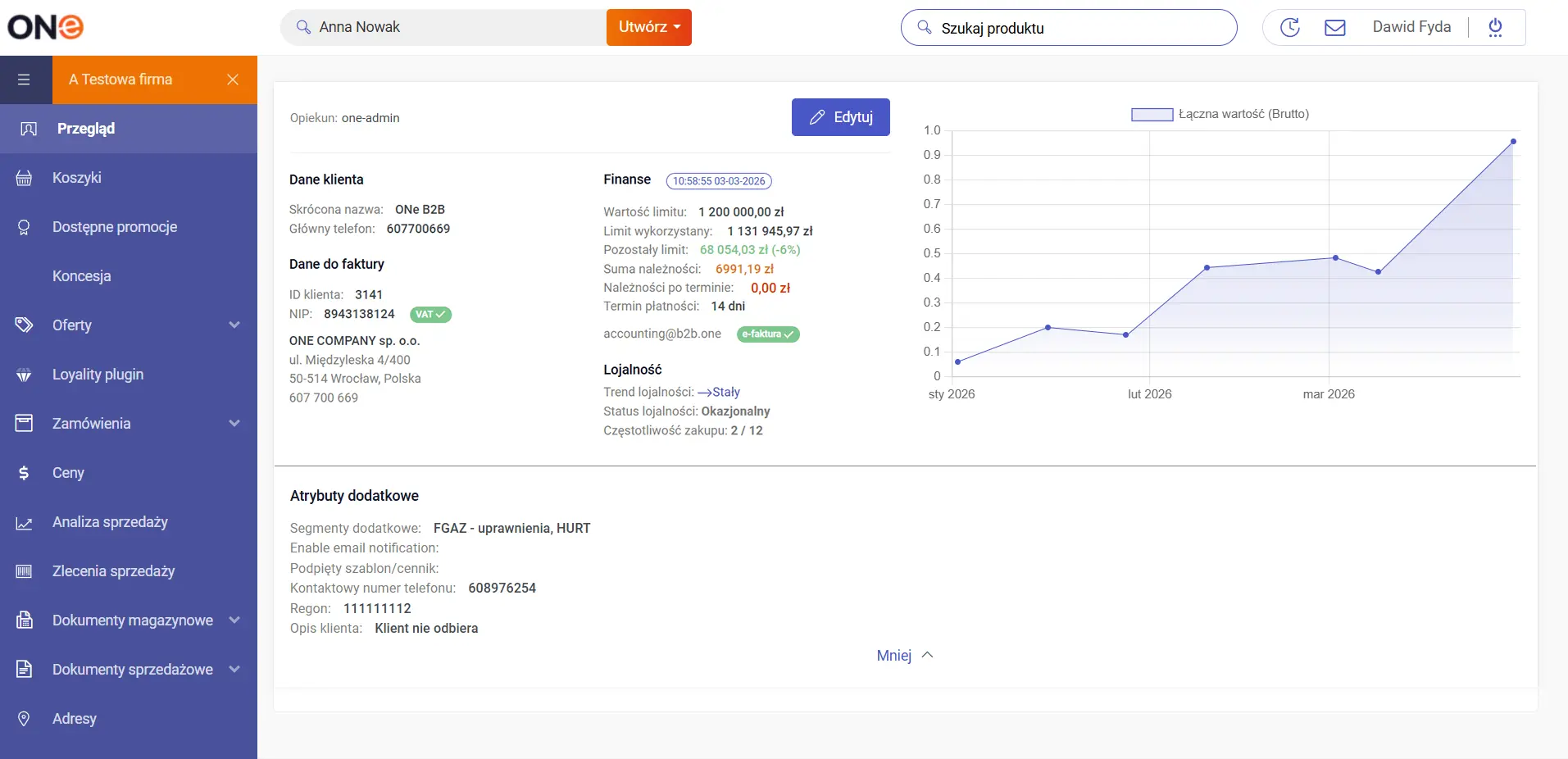
From the dashboard, the salesperson can go to customer files. The file in ONe is a classic centre of information and documents: company data, contact persons, cooperation history, sales documents, credit limit, balance, statuses, tasks and full work context. It is a strong CRM foundation that allows you to manage the customer consistently and without guesswork.
Full customer profile and contacts
Sales documents and cooperation history
Limits, balance and statuses in one place
CUSTOMER DIAGNOSTICS AND SELECTION OF APPROPRIATE ACTIONS
Customer analytics
Another area of customer knowledge is analytics. Thanks to transaction processing in ONe and integration with ERP systems, CRM shows what really helps in sales: customer margin, purchase loyalty, trends and many other parameters that in some companies require separate BI projects and additional paid licences for salespeople.
Thanks to CRM in ONe, decisions are faster and more accurate.
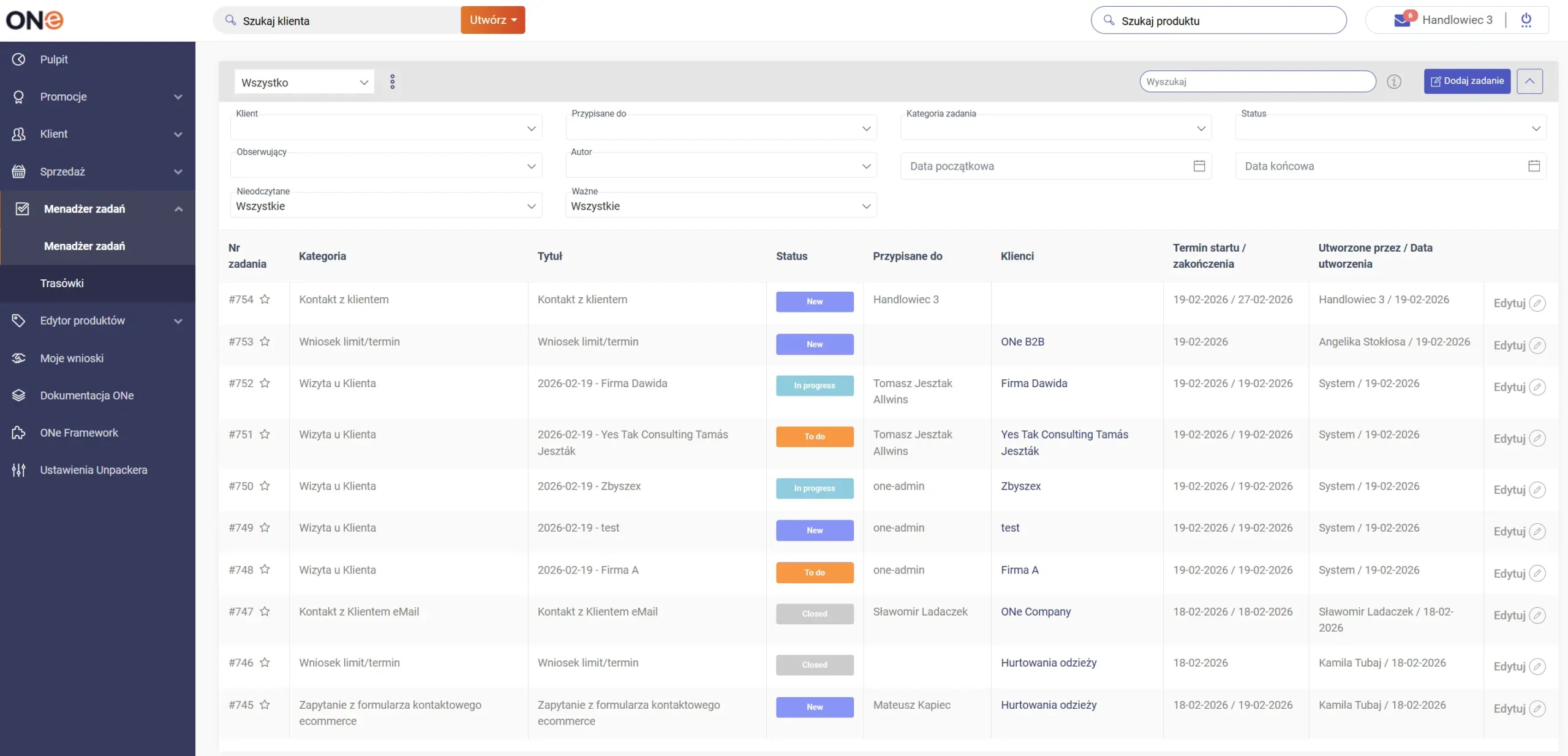
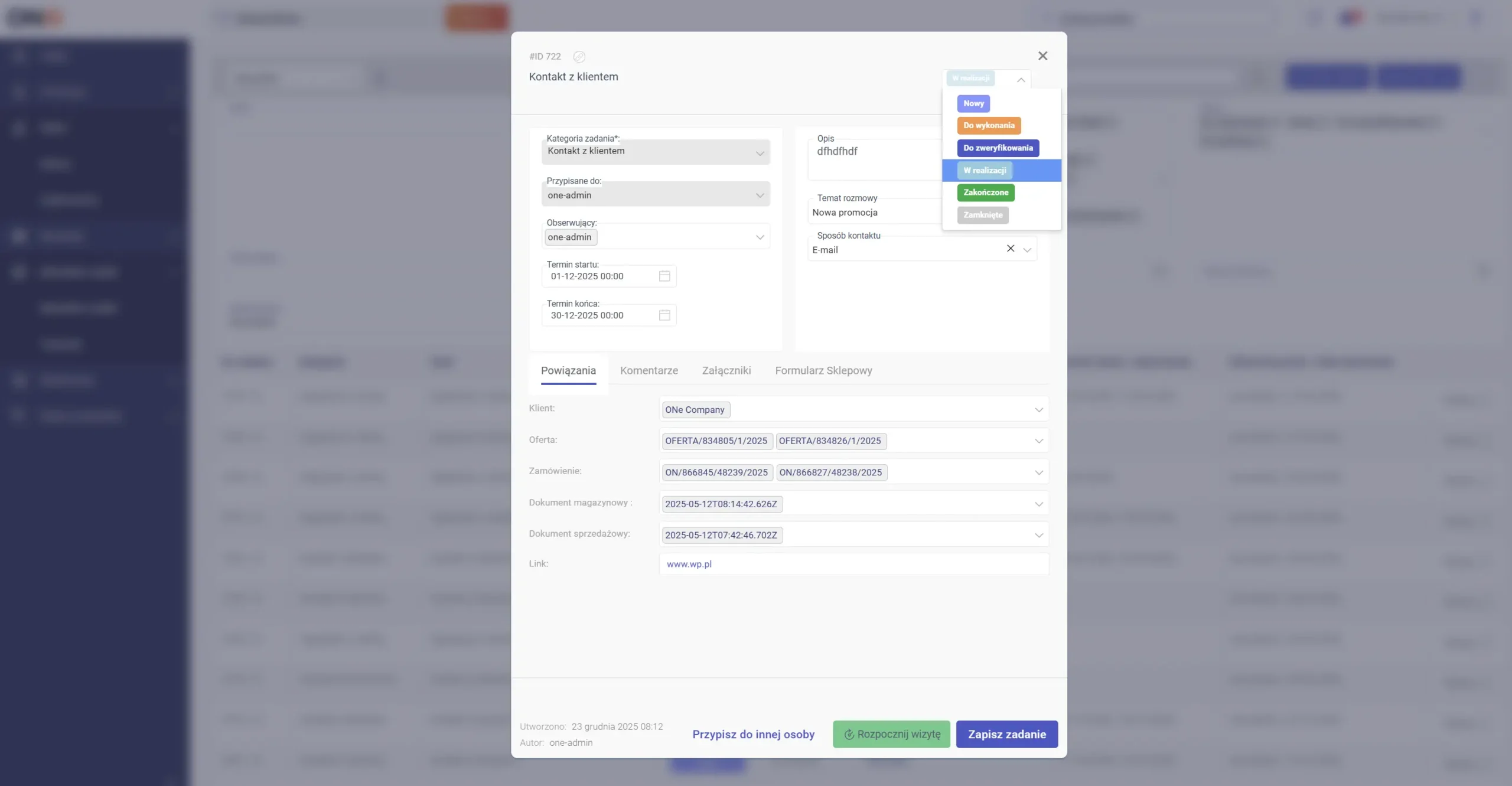
Once you know where to act, CRM switches to implementation mode: tasks. In ONe, you can define and account for activities such as phone calls, visits, offer follow-ups, debt collection and complaint handling. Tasks are created by a salesperson or supervisor, and the system allows you to maintain a consistent standard of team work and control implementation.
A note can be added to each task, and selected task types lead directly to action in the system. In subsequent stages of ONe’s development, tasks will also be created automatically, supported by algorithms based on customer analytics and AI.
Visits and phone calls
Offer follow-ups
Complaints and notes
EFFECTIVE FIELD WORK
Route planning
A special type of task for sales representatives is visiting customers, and the route planning module is used to manage these visits. It facilitates visit planning, organises the schedule and allows for better management of the plan’s implementation within the team. This is particularly important in larger field teams, where good use of time and performance control are essential.
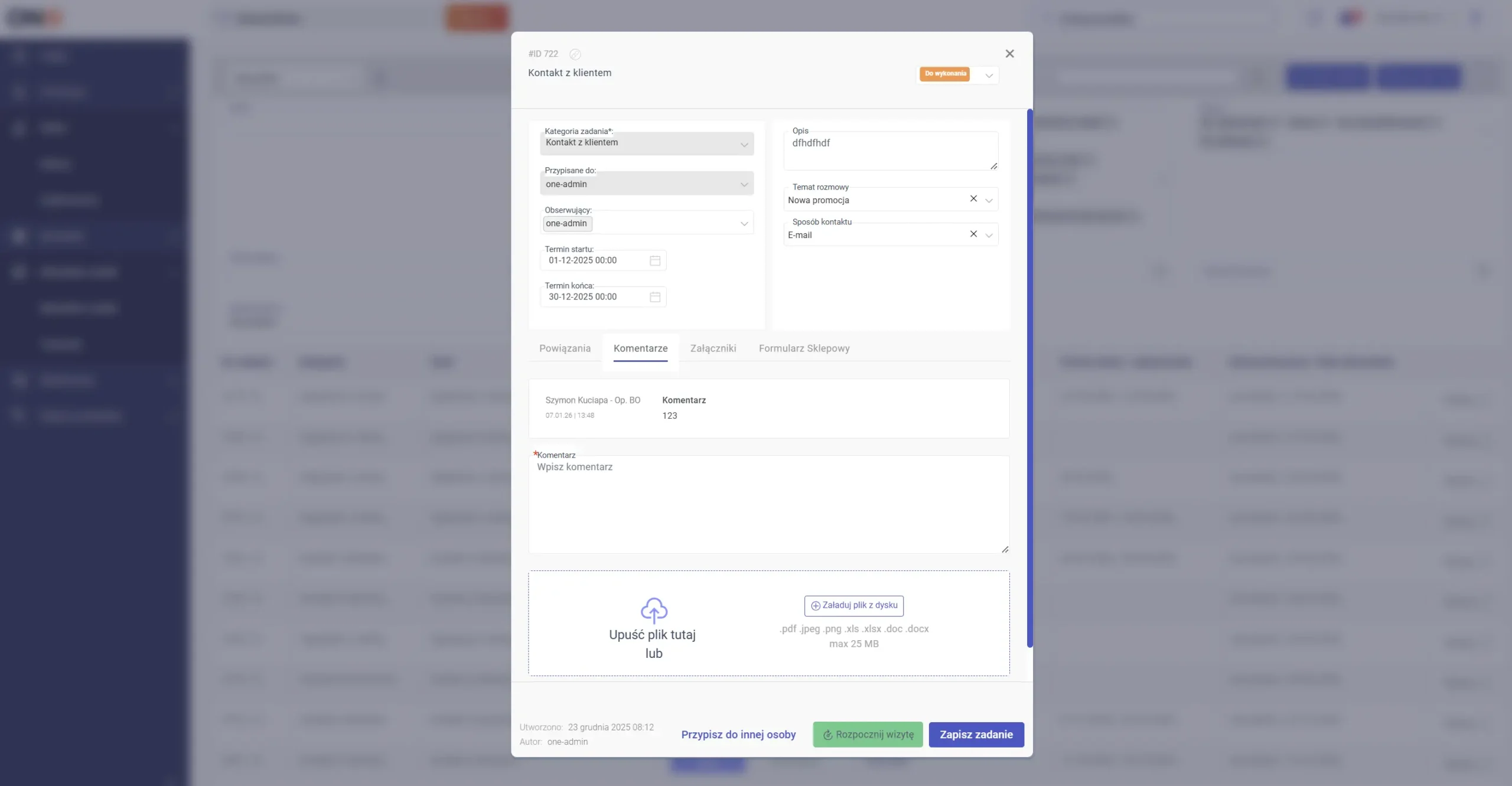
After a phone call or visit, the salesperson takes notes: agreements, risks, needs, next steps. Notes are part of CRM work – attached to the customer and activities – so that knowledge does not disappear in private notebooks or email inboxes.
Agreements and next steps
History of calls and visits
Knowledge available to the entire team
QUICK RESPONSE TO CUSTOMER NEEDS
Form tasks
A recently introduced, innovative solution – tasks created from forms on the platform. The customer submits an enquiry at the place (on the platform) where they are shopping, and after sending, the request is automatically converted into a task for the salesperson – with assignment and deadline. Thanks to this, enquiries do not get ‘lost’, and the team handles them on an ongoing basis using the same system in which they perform all other sales tasks.
Customer enquiry → task in CRM
Automatic assignment and deadline
Consistent enquiry handling process
EFFICIENT AFTER-SALES SERVICE
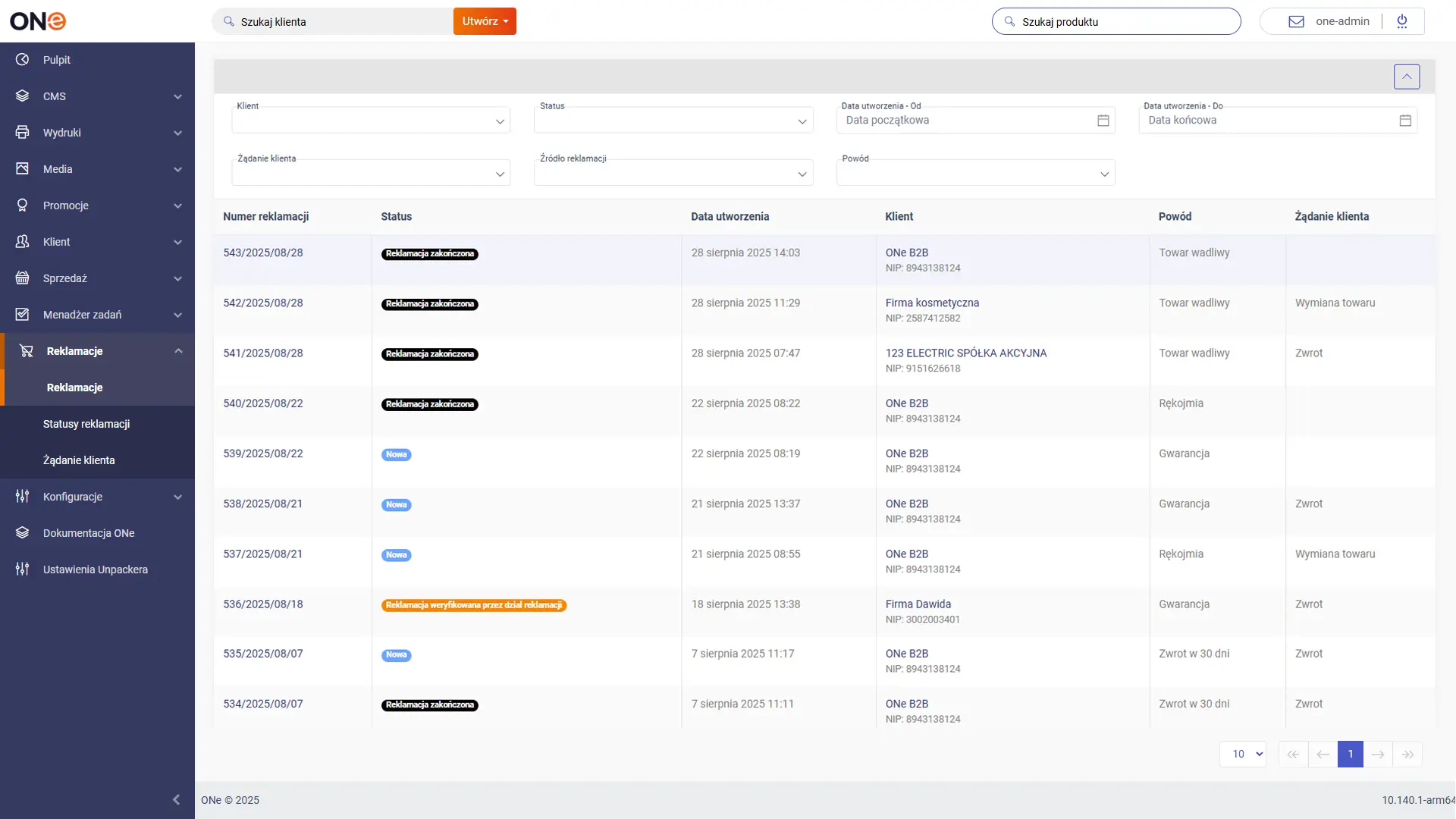
Complaint tasks
In ONe, complaints can be submitted by both customers on the B2B platform and sales representatives from the sales representative panel. The entire process is conducted in the system, with full customer and document context. Regardless of who initiates the process, whether it is the customer or the sales representative, it is transparent to everyone involved.
Importantly, a complaint can immediately trigger actions: from the complaint level, you can create tasks for the team (e.g. contact with the customer, verification, collection, replacement, document correction), assign an owner and a deadline. This makes complaint handling fast, organised and accountable.
CRM ONe has been designed to give salespeople a clear starting point and a clear next step. See how it works using the example of a salesperson’s work.
Would you like to see how CRM ONe will work in your B2B sales model?
ONe is a constantly evolving platform that stays in close contact with its customers. Every month, we organise webinar meetings during which we present new, ongoing and planned projects.
Stay in touch with us and keep up to date with the new features we implement every month.
Achieve more, faster with our cutting-edge B2B platform. Streamline your sales processes, boost operational efficiency, and build stronger customer relationships. Get in touch with us today to see how we can help your business grow.
You’ll receive a confirmation email once your message has been sent.
By clicking Send consent to the processing of your personal data for the purpose of contacting us. All information regarding the processing of personal data and your rights related to it can be found in our privacy policy. You can ask more questions by writing to: iod@b2b.one
Get in Touch – We’ll Respond Within 24 Hours!
You’ll receive a confirmation email once your message has been sent.
By clicking Send consent to the processing of your personal data for the purpose of contacting us. All information regarding the processing of personal data and your rights related to it can be found in our privacy policy. You can ask more questions by writing to: iod@b2b.one