
 Polski
 Magyar
 Deutsch
 Español
 Italiano
 Lietuvių
 Română
 Srpski



Automation, analytics, sales efficiency: 25 new features in 2025 on the ONe platform.
In 2025 the ONe platform went through one of its most intensive stages of development. We delivered 25 new features and modules that organise sales processes, automate team work and give companies greater control over their data and results. Below are the most important changes, which our customers are already using today.
Key changes and new modules
New look for the Sales Panel – a mobile revolution in sales
We have redesigned the key elements of the Sales Panel: the basket, offers, catalogue and listings. The new design is clear, lightweight and fully responsive, which makes it possible to run sales entirely on mobile devices. Sales reps can now carry out the whole sales process from a smartphone, saving time and working more efficiently.

Relations between documents – full process transparency
Documents in ONe, such as orders, delivery notes (WZ), invoices and credit notes, now form a logical chain. Sales reps can move quickly between documents, seeing the links and the full context of the sales processes.
An example? A delivery note is created for an order, then an invoice – and all of it is visible and easily accessible from a single view. If credit notes appear, they are in the same place too. What is more, links to related documents are available not only in the details but also on listings. It is a huge step towards transparency and control of the entire order-to-cash process.

Document search – instant access from anywhere in the Sales Panel
The new search lets you find any document and the documents related to it without going to dedicated sections.
It works from every view of the panel and from the main dashboard, speeding up work and improving accuracy.

Filter sets – smart acceleration of everyday tasks
Filter sets let sales reps save their own filter configurations on the lists of documents, customers, leads and tasks.
You can create multiple sets, set them as default and switch between them instantly.
The module is available as an additional extension. It is charged separately, outside the subscription. To enable it, contact your implementation specialist or ONe support.

Guest checkout – higher conversion and fewer abandoned baskets
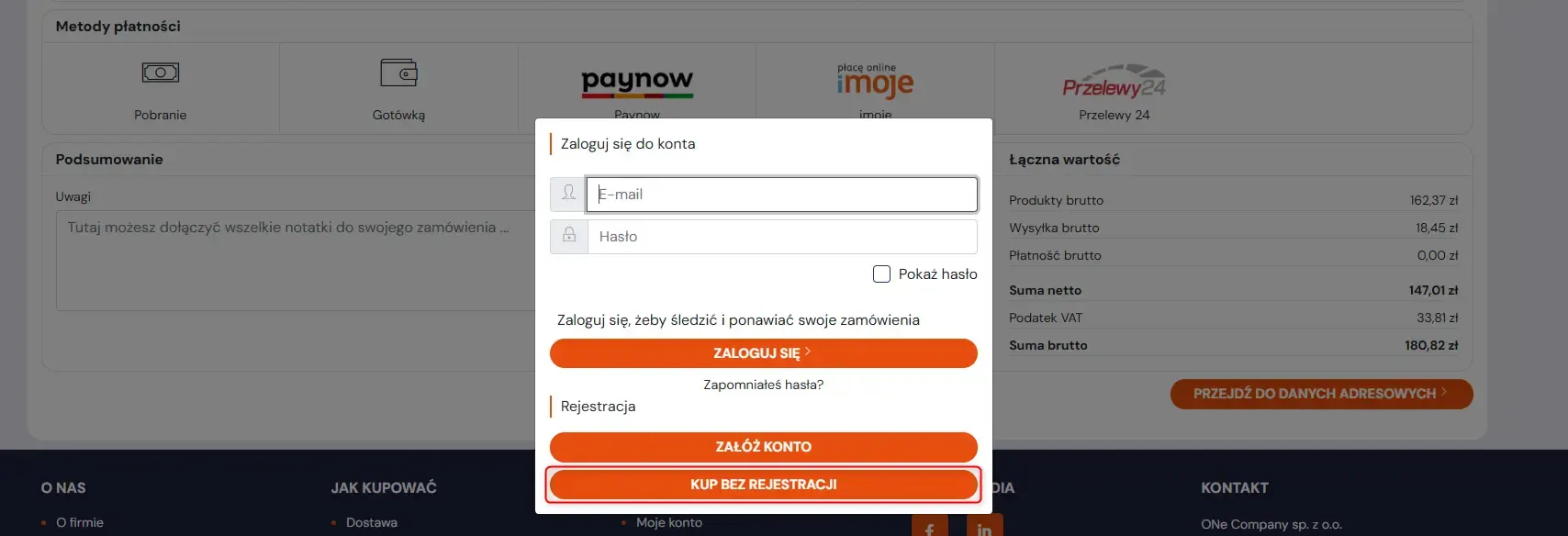
One of the most important steps towards increasing conversion was introducing guest checkout. We have opened up the platform to occasional buyers who do not want to create an account, waste time verifying an e-mail or share additional data.
Logged-out customers can now place an order without creating an account. Sales reps see such orders in the panel and can easily search for them. The system can issue an invoice and passes the information to the ERP, supporting reporting and analysis.
The module is available as an additional extension. It is charged separately, outside the subscription. To enable it, contact your implementation specialist or ONe support.
Complaints from the Sales Panel – full customer service in one place
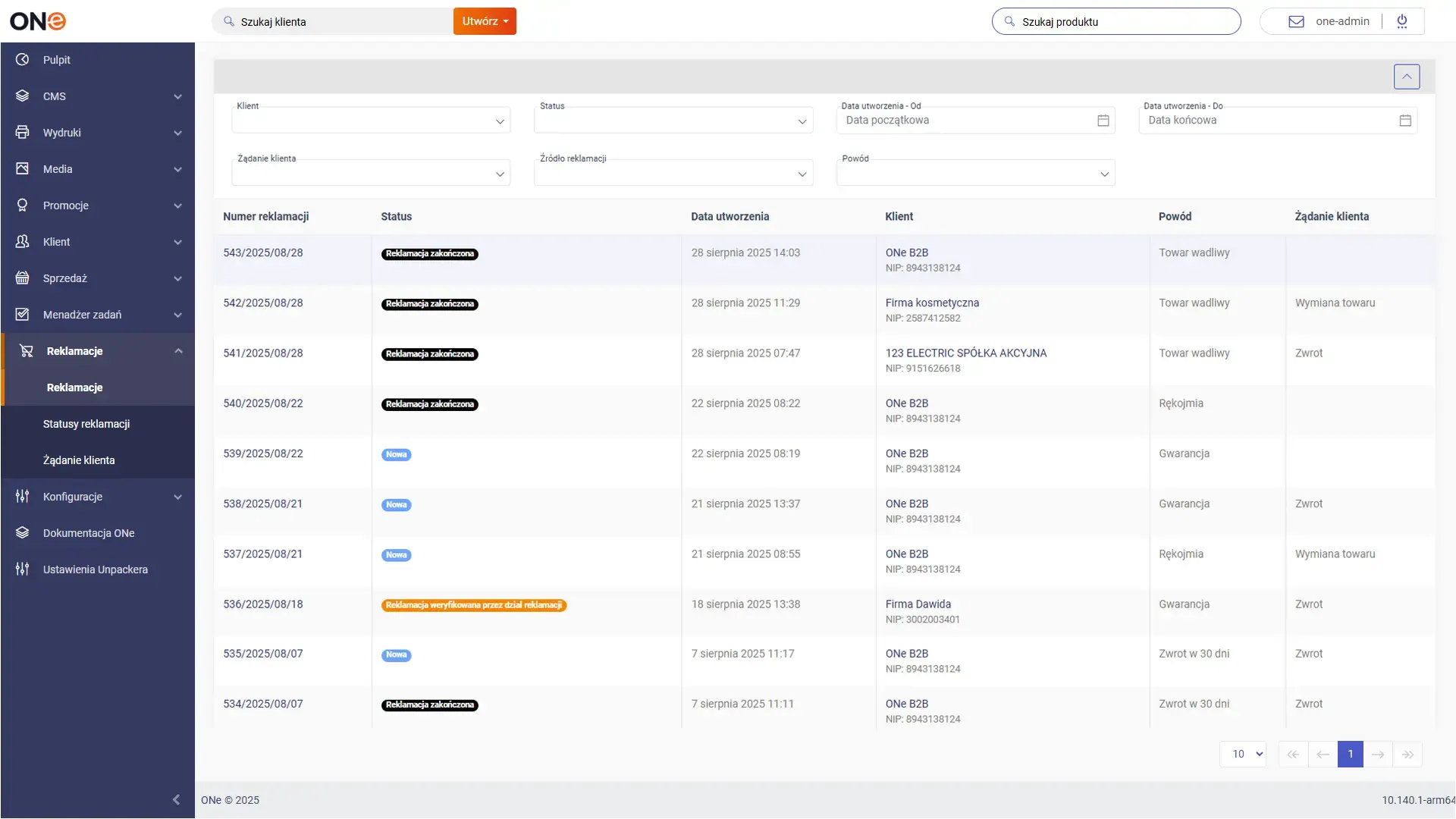
We have also added to the Sales Panel the ability to submit complaints on behalf of the customer.
It is a huge convenience in day-to-day work, especially in B2B relationships, where the sales rep is often responsible for after-sales service.
The process is designed to be fast, intuitive and as consistent as possible with the existing way of working:
The sales rep selects the invoice the complaint relates to.
The system shows the products from that invoice – you just pick the right one.
They add the details of the person reporting the issue, a description of the defect and any additional information.
In addition, every sales rep has access to the full list of their customer’s complaints with their current statuses. This way they can quickly provide information whenever the customer asks about the progress of a case.
It is a module that significantly raises the quality of service and lets sales reps build even stronger relationships with customers.
More information about the feature here: https://b2b.one/en/features/complaints/
The module is available as an additional extension. It is charged separately, outside the subscription. To enable it, contact your implementation specialist or ONe support.
Complaints based on a delivery note (WZ)
The complaints module has been extended with the ability to submit complaints based on a WZ warehouse delivery note.
This lets you start the process faster, even before the invoice is issued. The feature works both for complaints submitted by the customer and by the sales rep.

ONe analytics module – full control over sales
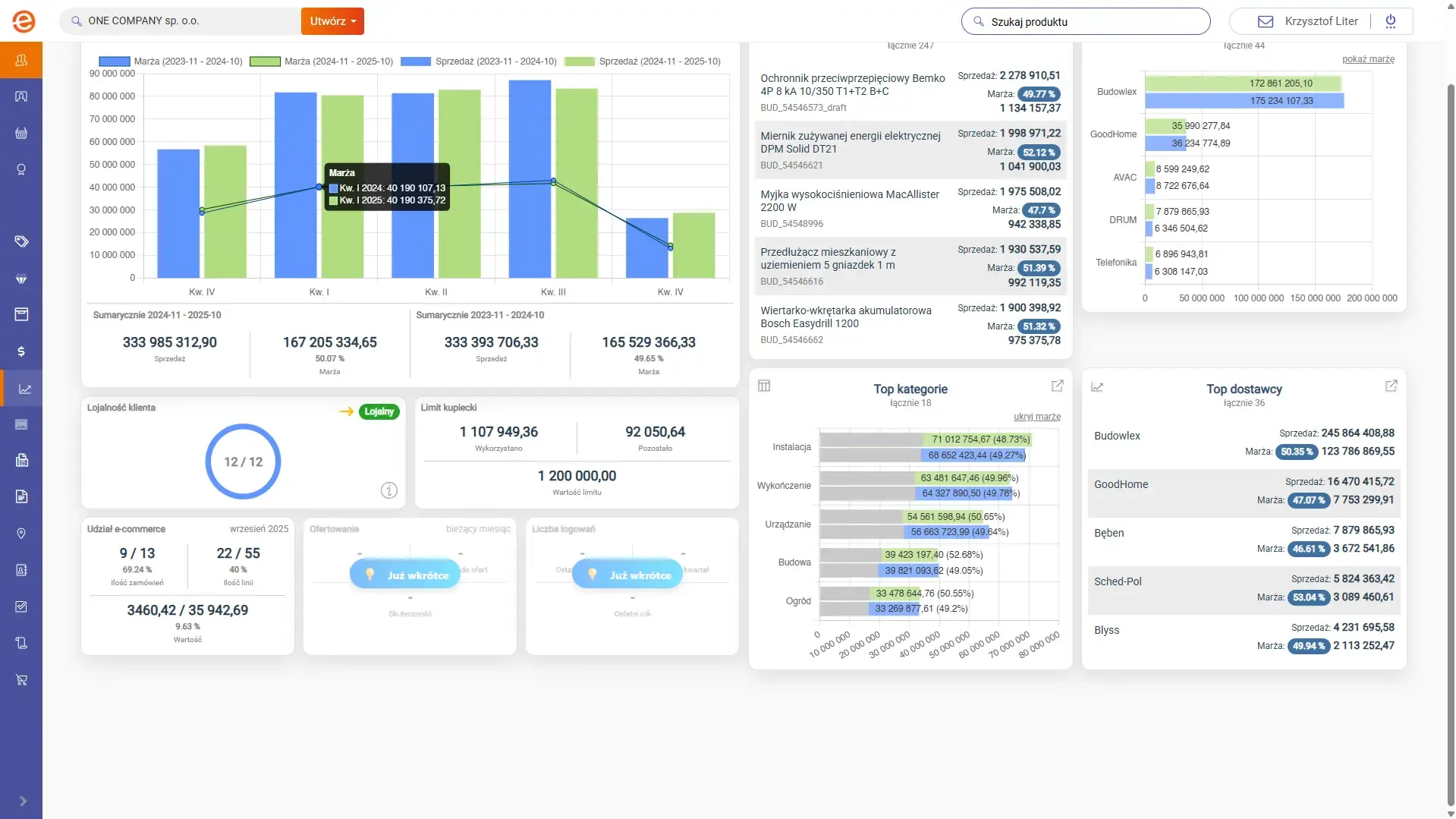
The analytics module provides a multidimensional view of customer purchases, trends, margins, the structure of sales by many criteria, and loyalty and its trend. The data comes from both the ONe platform and ERP systems.
The tool lets you react quickly to changes in customer behaviour, analyse sales results and make informed business decisions.
More information about the feature here: https://b2b.one/en/features/analytics/
The module is available as an additional extension. It is charged separately, outside the subscription. To enable it, contact your implementation specialist or ONe support.
Warehouse filtering and favourite warehouses
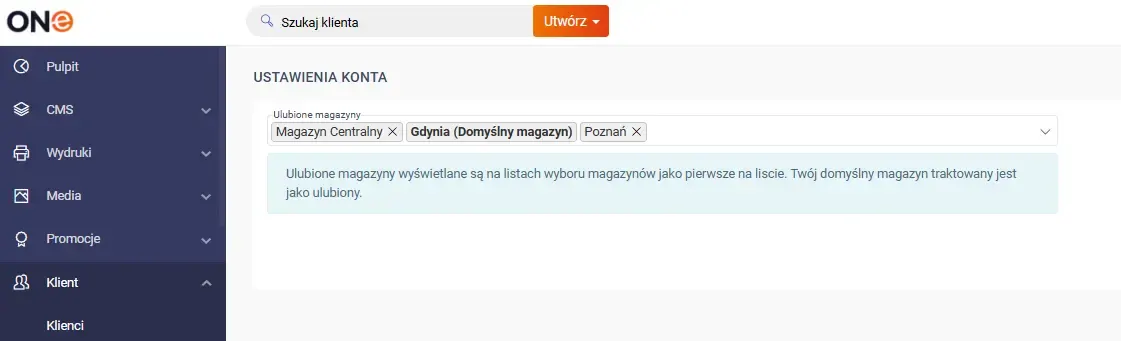
In the Sales Panel we have introduced the ability to define the warehouses a given sales rep uses most often. In the configuration, the user can select warehouses that will be shown first in the warehouse selection filter – including in the basket, the catalogue and on listings.
With this feature, sales reps can organise the warehouse list according to their own preferences and quickly select the ones they use most. The solution is especially useful for companies with a large number of warehouses – it significantly shortens the time spent searching for products and streamlines the purchasing process for customers, particularly when the choice of a specific warehouse matters.
Route Plans – a schedule of sales rep visits
A Route Plan is a recurring visit plan covering all the customers assigned to a sales rep. The feature increases transparency, standardises processes, automates tasks and supports recording notes, orders and comments from visits.
More information about the feature here: https://b2b.one/en/features/route-planning/
The module is available as an additional extension. It is charged separately, outside the subscription. To enable it, contact your implementation specialist or ONe support.
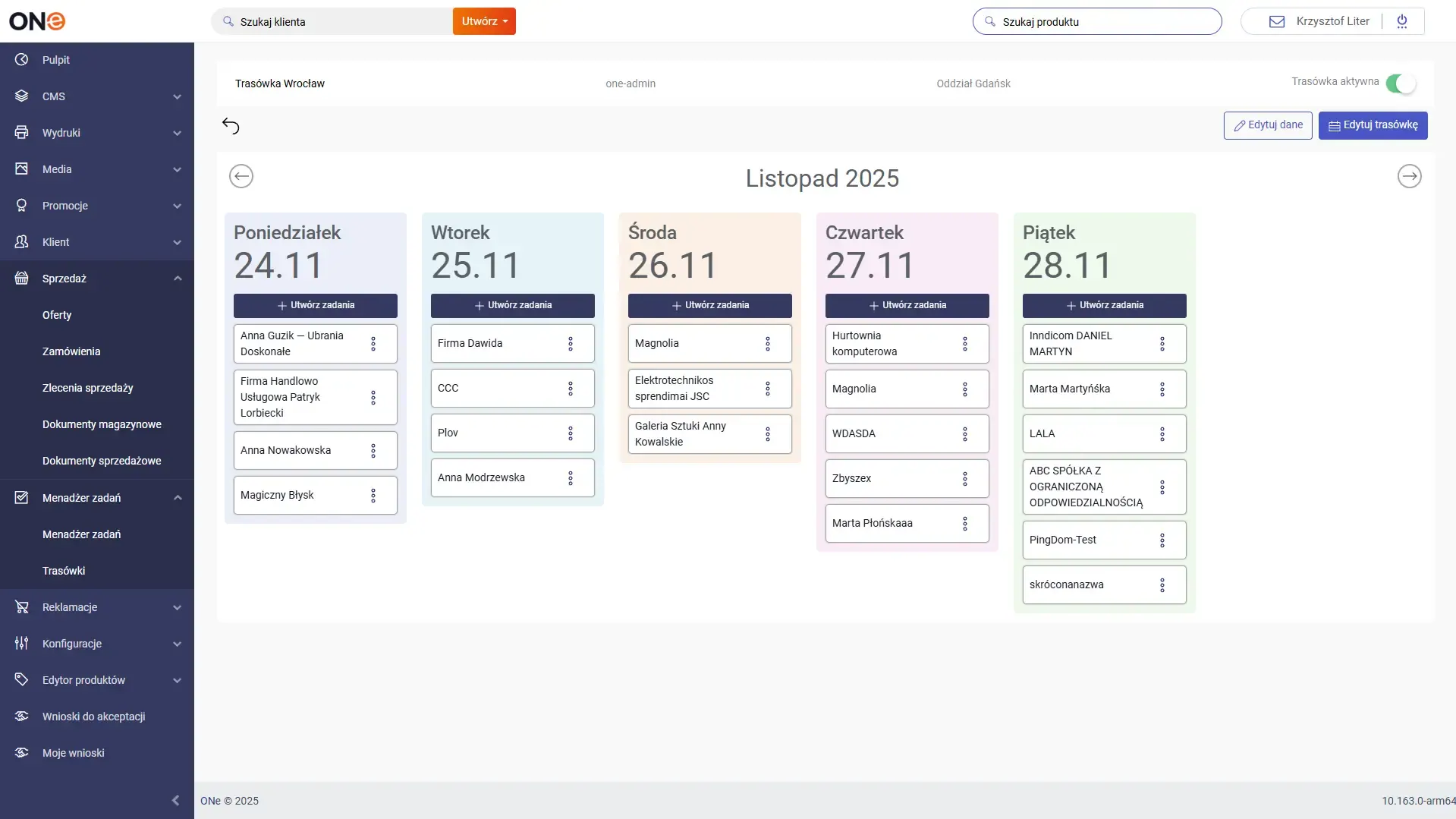
Default supervisor in the offer approval process
Sales reps using the ONe panel can now have a default supervisor assigned, who is selected automatically when an offer is sent for approval. This means they no longer have to search the list of operators for the right person each time – the system does it for them.
If needed, the sales rep can still change the selected user and send the offer to another operator. The new solution eliminates time-consuming, repetitive actions, minimises the risk of mistakes and significantly streamlines the offer approval process.

Adding draft products from an Excel file
Draft products are extremely important in B2B sales – they let you present to customers products outside the permanent range, e.g. available only from selected suppliers or requiring individual pricing.
The new feature makes it possible to add them in bulk to the catalogue directly from an Excel file.
A sales rep or administrator can upload a supplier’s entire price list in a few seconds, without using external systems.
A dedicated template is also available, guiding the user through all the fields that must be completed before the import. Fast, easy, error-free.

New availability filter on the sales platform
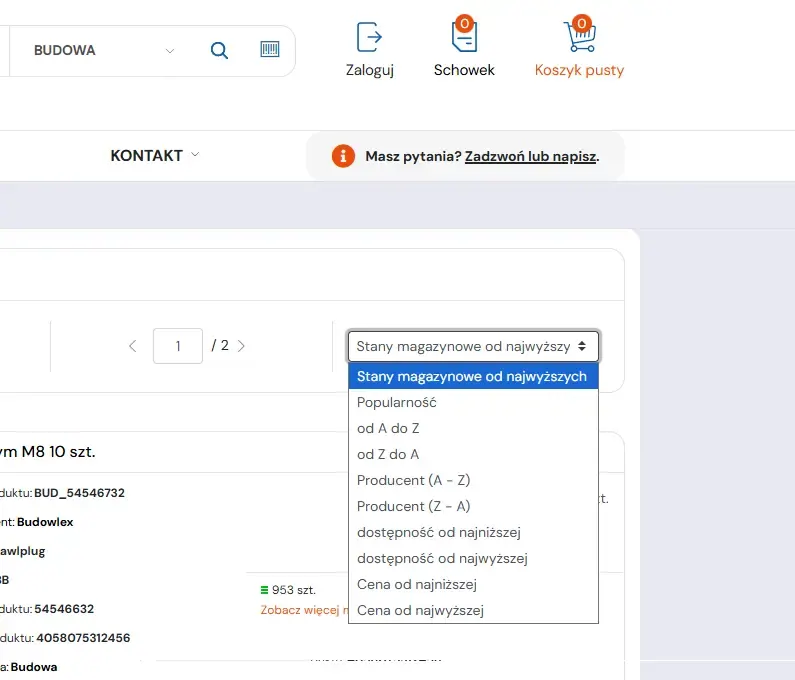
B2B customers often prioritise availability, not just the lowest price. That is why we added a filter that lets you sort products in the catalogue by availability in a selected warehouse – both ascending and descending. It is a significant convenience for companies operating on large volumes that need quick access to goods.
Additional fields in the complaint form
Platform administrators can now add their own fields to the complaint form and configure them according to their organisation’s processes. Fields can be marked as required or optional. The data from these fields is available in the API, which enables further automation and integrations. This makes complaint forms more flexible than ever.

Recording the start and end time of a sales visit
In the tasks module for sales reps, we have introduced a feature that records visit times. During a meeting with a customer, sales reps can accurately record the date and time when the visit starts and ends. This means they do not have to do it manually in every task. The time is saved automatically once the timer is stopped. Visit time data can also be pulled into external systems for statistics and drawing conclusions.

Pre-order support
We have made it possible to sell products that are not yet physically in stock.
Key elements of the feature:
● products labelled “Pre-order”,
● they can be bought just like standard products,
● a hidden order limit depending on data from the integration,
● products are automatically marked as “Unavailable” once the pool runs out,
● display of the planned delivery date.
This tool gives companies an edge – it lets them measure demand even before the goods arrive in stock and optimise their purchasing policy.
Available/Unavailable stock level display
The platform administrator can now hide exact stock quantities from customers, replacing them with simple information: Available / Unavailable.
This feature is used in some industries where a company does not want to disclose exact stock levels – not only to customers, but also to its competitors.

Complaint for a single part of a product
Companies selling modular products made up of several elements can now accept complaints not only for the whole product, but also for a selected part.
The form automatically retrieves the list of available parts based on product relations (SKU). The user must always specify whether they are complaining about a part or the whole. This means more precise handling, faster processing and fewer integration errors.

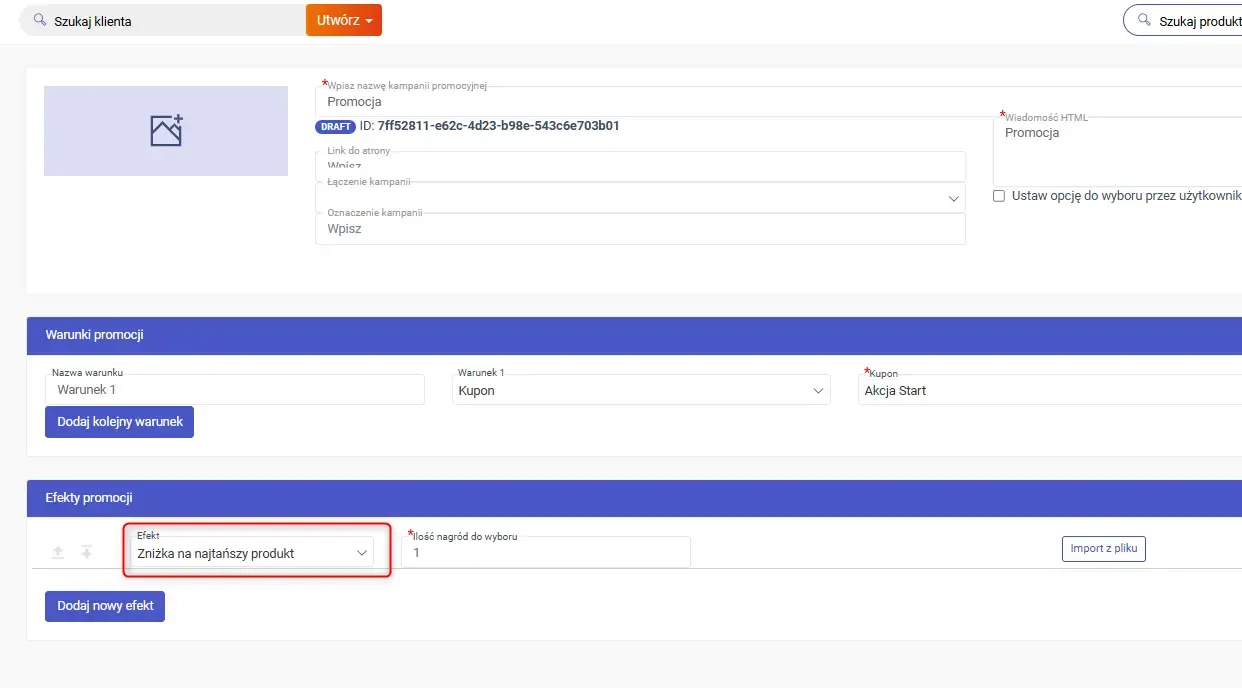
New promotion condition: cheapest product for PLN 1
We have enriched the promotions system with rules of the type “buy X products and get the cheapest one at a discount or for PLN 1”.
It is a feature often used by large retailers and wholesalers, allowing you to run attractive cross-sell campaigns and increase basket value.
List of saved baskets in Backoffice
Sales reps and managers can view all customers’ saved baskets in a single view, with the ability to filter, sort and convert baskets into orders.
It is a big help in analysing activity, in basket recovery efforts and in the daily work of sales teams.

Savings summary in the basket
E-commerce users and sales reps in the Sales Panel now see a clear message: “Your savings: X PLN”, calculated from discounts and list prices.
Such an element significantly increases the customer’s willingness to complete the order.

Blocking complaints for more than one product from a document
A feature added in response to the needs of certain ERP integrations or specific procedures in force in a company.
When it is enabled, the user can submit a complaint for only one product and one unit from a given document (invoice/WZ).
Off by default; it can be enabled at the customer’s request.
Price visibility: “Show/Hide prices” switch
A simple but practical solution for companies that present their offer to end customers but do not necessarily want to show product prices right away, in the early stages of winning customers.
With one click you can hide all prices, discounts and basket values while keeping the full functionality of the platform.
Customer loyalty analytics
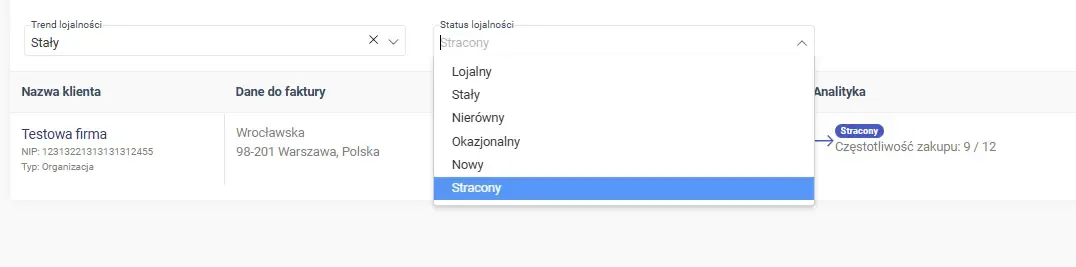
The customer card and the customer list show the loyalty status and trend, along with filters that let you analyse customers by engagement. The data comes from the analytics module and helps sales reps assess faster which relationships need attention and which are growing.
This feature requires the analytics module described earlier to be enabled first.
Webhook for changing the offer status to “Won with draft product”
The new webhook lets external systems react immediately when an offer changes status to won with a draft product (WON_WITH_DRAFT_PRODUCTS).
Purchasing departments can use it, among other things, to:
● start the process of ordering goods from the supplier faster,
● manage the product range better,
● optimise stock levels.
It is another step towards fully automated data exchange and supporting the work of other departments in the organisation.
2025 was a time of intensive but, above all, practical development for ONe. 25 new features and modules are not a list of “technological novelties” but concrete improvements that help companies sell more effectively, react faster to change and make better use of data in decision-making.
We focused on process automation, transparency of sales reps’ work, better customer service and analytics, which support enforcing the sales strategy and raising sales efficiency in practice, not just on paper.
It is a direction we will keep developing in the years to come. ONe grows together with the companies that use it, responding to real business needs and to the challenges that the further growth of B2B sales brings.
